
How to Schedule Reddit Posts: Tools, Tips & Best Practices
This guide helps you understand how to schedule Reddit posts and decide what to do next without wasting posts, links, or account trust. Start by matching your goal to subreddit rules, reader intent, and account risk, then choose the safest next action.
Primary source check: review Reddit Rules, Reddit User Agreement, and Reddit for Business before using this advice in a live campaign.
You have spent 45 minutes crafting the perfect Reddit post. The title is sharp.
The content is genuinely useful. You are ready to hit submit.
But it is 11 PM on a Tuesday. Your target subreddit's peak hours are between 8 AM and 10 AM EST on weekday mornings.
If you post now, your content will be buried under a wave of fresh submissions before anyone wakes up to see it.
This is the scheduling problem. And it is costing you visibility, upvotes, and engagement every single time you post at the wrong moment.
The good news is that Reddit now offers native scheduling, and several excellent third-party tools fill the gaps where Reddit's built-in features fall short. This guide covers every option available in 2026, from Reddit's own scheduler to the most capable third-party platforms, along with the timing strategies that make scheduling actually worth the effort.
TL;DR - Scheduling Reddit Posts
- Reddit's native post scheduler lets you queue posts up to 30 days in advance, but it is limited to one subreddit at a time and lacks analytics

- Third-party tools like Later for Reddit, Postpone, and Delay for Reddit offer multi-subreddit scheduling, optimal time suggestions, and performance tracking
- The best time to schedule depends on your specific subreddit's audience; use data tools rather than generic advice
- Scheduling works best as part of a broader content calendar strategy where you batch-create and queue posts weekly or monthly
- Always be online when your scheduled post goes live so you can engage with early comments during the critical first hour
Reddit Timing Decision Table
Signal | Best Fit | Risk To Check |
|---|---|---|
Subreddit pace | New posts get comments within an hour | Slow communities punish repeat posting |
Thread momentum | Replies are still active | The discussion already peaked |
Audience timezone | Users are awake and browsing | Your post lands during quiet hours |
Account readiness | The account has normal history | A new profile trips filters |
Why Scheduling Reddit Posts Matters
Reddit's algorithm is ruthless about timing. As we explain in our deep dive on the best times to post on Reddit, the first 60 minutes after a post goes live determine whether it gains momentum or dies in obscurity.
The Hot ranking algorithm uses a time decay function that makes early upvotes exponentially more useful than later ones. A post that gets 50 upvotes in its first hour will dramatically outrank a post that gets 200 upvotes spread across 12 hours.
This creates a simple but critical requirement: your post must go live when your target audience is actively browsing and voting.
The problem is that your schedule and your audience's schedule rarely align perfectly. You might be in a different time zone.
Your best creative hours might not overlap with peak subreddit activity. Or you might simply want to batch your content creation into focused sessions rather than interrupting your day to post at a specific minute.
Scheduling solves all of these problems. But only if you do it right.
Reddit's Native Post Scheduler
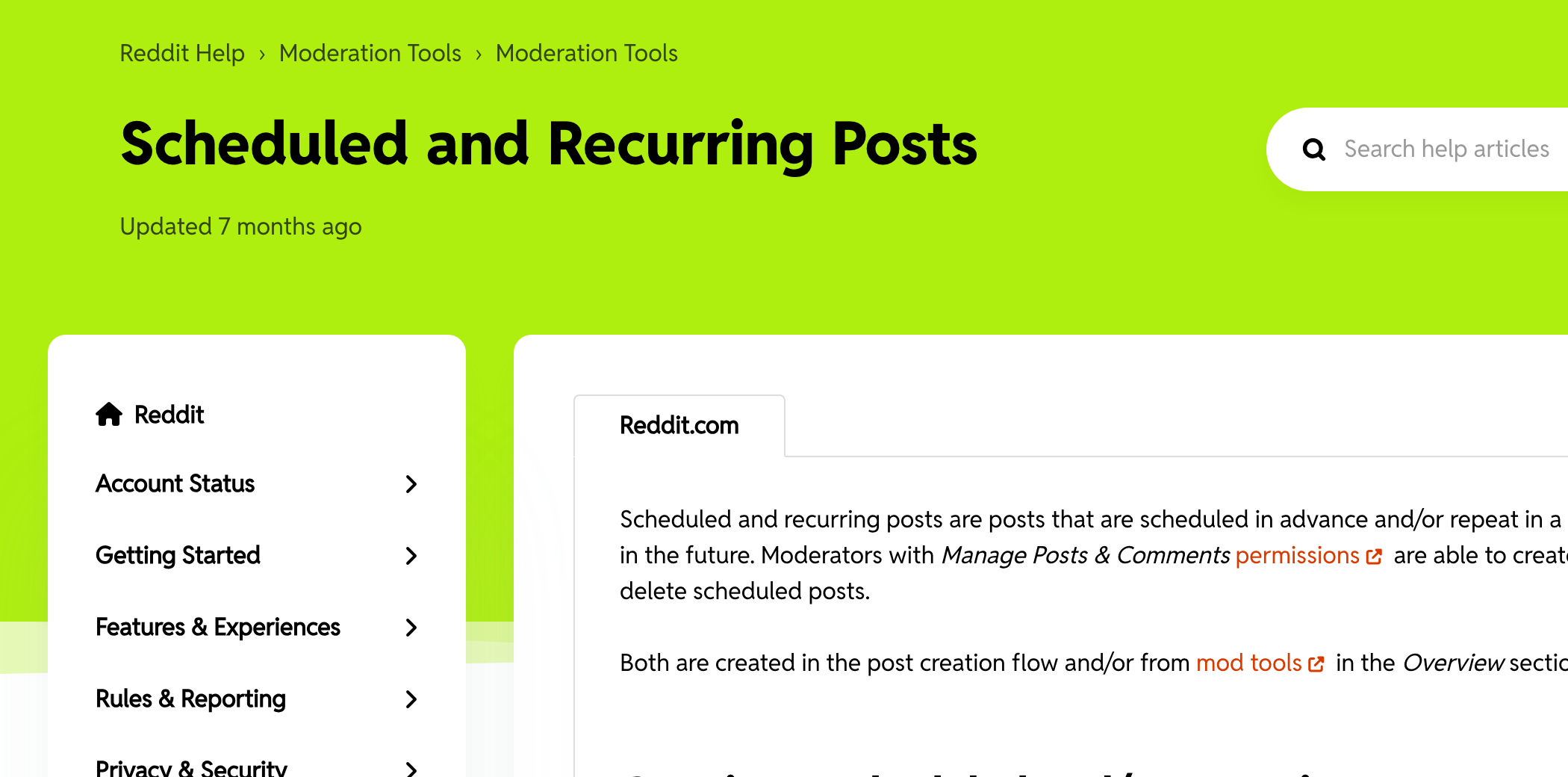
Reddit introduced a built-in scheduling feature that has matured considerably since its initial launch. Here is how it works and where it falls short.
How to Use Reddit's Built-In Scheduler
On Desktop (New Reddit):
- Go to the subreddit where you want to post
- Click "Create Post" as you normally would
- Write your post title and content
- Before clicking "Post," look for the calendar/clock icon or the "Schedule" option near the submit button
- Select your desired date and time
- Choose your time zone
- Click "Schedule"
On the Reddit Mobile App:
- Tap the "+" button to create a new post
- Select your target subreddit
- Write your content
- Tap the clock icon or "Schedule" option
- Set the date and time
- Confirm the schedule
Important limitations:
- You can schedule posts up to 30 days in advance
- Scheduled posts are visible only to you in your drafts until they go live
- You cannot schedule comments, only posts
- Each post must be scheduled individually to a single subreddit
- There is no built-in optimal time suggestion
What Reddit's Native Scheduler Does Well
Simplicity. There is nothing to install, no account to create, and no subscription to pay for. If you just need to schedule a handful of posts per week, the built-in tool handles it without friction.
Reliability. Because it is Reddit's own feature, there are no API rate limits, no authentication tokens to manage, and no risk of third-party service outages preventing your post from going live.
Editing flexibility. You can edit or cancel a scheduled post at any time before it publishes. The draft remains fully editable in your queue.
Where Reddit's Native Scheduler Falls Short
No optimal time recommendations. The native scheduler tells you nothing about when your audience is active. You are guessing unless you bring your own data.
No multi-subreddit scheduling. If you want to post the same content (or variations of it) to multiple subreddits, you need to create each scheduled post individually. For marketers managing activity across 5-10 subreddits, this gets tedious quickly.
No analytics or tracking. Reddit's scheduler does not track how your scheduled posts performed compared to your manually timed posts. There is no performance dashboard or posting history analysis.
No recurring schedules. You cannot set up a post to repeat on a weekly or monthly basis. Every post is a one-time schedule.
For casual Redditors or people scheduling 2-3 posts per week, the native tool is perfectly adequate. For serious Reddit marketers, the limitations push you toward third-party alternatives.
Third-Party Reddit Scheduling Tools
Several third-party tools have emerged to fill the gaps in Reddit's native scheduling. Here is an honest breakdown of the major options in 2026.
Later for Reddit
Best for: Individual marketers and small teams who want optimal timing data.
Later for Reddit offers a clean interface for scheduling posts with data-driven timing recommendations.
Key features:
- Optimal time analysis -- Analyzes subreddit activity patterns and suggests the best posting windows
- Visual calendar -- See all your scheduled posts across subreddits in a calendar view
- Title testing -- Some versions let you A/B test titles before scheduling
- Cross-posting support -- Schedule cross-posts to multiple subreddits from a single draft
- Performance tracking -- Basic analytics on how scheduled posts performed
Pricing: Free tier with limited posts per month; paid plans start around 0-15/month for more volume and features.
Drawbacks: The optimal time suggestions are based on general subreddit activity, not your specific audience. And like all third-party tools, it relies on Reddit's API, which means occasional authentication issues.
Postpone
Best for: Power users and agencies managing multiple Reddit accounts.
Postpone is built specifically for Reddit scheduling and has one of the most robust feature sets available.
Key features:
- Advanced scheduling queue -- Queue multiple posts and set specific intervals between them
- Subreddit analytics -- Deep analysis of when specific subreddits are most active, broken down by day and hour
- Auto-scheduling -- Set content and let Postpone choose the optimal time automatically
- Flair support -- Assign post flair during scheduling (essential for subreddits that require it)
- Multi-account management -- Manage schedules for multiple Reddit accounts from one dashboard
- Recurring posts -- Set up posts that repeat on a schedule
Pricing: Free tier available; premium plans offer more posts and advanced features.
Drawbacks: The interface can feel overwhelming for beginners. Some advanced features require a paid subscription.
Delay for Reddit
Best for: People who want simple scheduling with Reddit-specific analytics.
Delay is a streamlined tool focused on doing one thing well: scheduling Reddit posts at the right time.
Key features:
- Heatmap analysis -- Visual heatmaps showing when subreddits are most active
- Simple scheduling -- Minimal interface, quick setup
- Post performance history -- Track how your posts performed over time
Pricing: Usually offers a free tier with limited functionality.
Drawbacks: Fewer features than Postpone; limited multi-account support.
Buffer and Hootsuite
Best for: Teams already using these tools for other social platforms.
Both Buffer and Hootsuite have added Reddit scheduling to their multi-platform suites.
Key features:
- Multi-platform scheduling -- Manage Reddit alongside Twitter, LinkedIn, Instagram, etc.
- Team collaboration -- Approval workflows and shared calendars
- Analytics dashboard -- Cross-platform performance comparison
Drawbacks: Reddit is often treated as a secondary platform in these tools. The Reddit-specific features (flair, cross-posting, subreddit analytics) are usually less developed than in Reddit-focused tools.
And the pricing reflects the full multi-platform suite, which may be overkill if Reddit is your primary focus.
Choosing the Right Tool
Here is a decision framework:
- "I post to 1-2 subreddits a few times per week" -- Use Reddit's native scheduler. It is free and sufficient.
- "I want data on when to post" -- Use Later for Reddit or Delay for Reddit. The timing analytics alone are worth it.
- "I manage multiple accounts or post to many subreddits" -- Use Postpone. Its multi-account and queue features save hours.
- "I manage Reddit as part of a larger social media strategy" -- Use Buffer or Hootsuite. The cross-platform view is useful.
- "I just want to know the best time to post" -- Use our free Best Time to Post tool and schedule manually.
How to Find the Optimal Posting Time for Any Subreddit
Scheduling is only useful if you know when to schedule. Here is how to determine the optimal posting window for any subreddit.
Method 1: Use a Subreddit Activity Analysis Tool
The fastest approach is to use a tool that analyzes subreddit posting patterns. Our Best Time to Post tool examines recent post data from any subreddit and identifies the windows where top-performing content was submitted.
Most tools generate a heatmap showing activity by day of week and hour of day. Look for:
- High-activity, moderate-competition windows -- Times when lots of users are browsing but relatively few posts are being submitted
- Consistent patterns -- Times that show high activity week after week, not just one-off spikes
- Audience time zones -- If a subreddit has a primarily US audience, peak times will cluster around US morning and evening hours
Method 2: Manual Analysis
If you prefer a hands-on approach:
- Sort the subreddit by Top > This Week
- Note the posting time of the top 20 posts (hover over the "posted X hours ago" text to see the exact timestamp)
- Look for clusters -- If 15 out of 20 top posts were submitted between 7 AM and 10 AM EST, that is your window
- Repeat for 3-4 weeks to confirm the pattern is consistent
This manual method takes more time but gives you first-hand knowledge of the subreddit's rhythm.
Method 3: Test and Iterate
Post the same quality of content at different times and track performance:
- Week 1: Post at 8 AM EST on Tuesday
- Week 2: Post at 12 PM EST on Tuesday
- Week 3: Post at 6 PM EST on Tuesday
- Week 4: Post at 8 AM EST on Thursday
Compare upvotes, comments, and upvote ratio across these tests. After a month of testing, you will have personalized data that is more reliable than any tool's general recommendations.
Generic "best time to post" advice is a starting point, not a final answer.
General Timing Guidelines
While specific data should always override general advice, here are the patterns that hold true for most English-language subreddits:
- Best days: Monday through Thursday generally outperform weekends for most subreddits
- Best times: Early morning US Eastern time (6 AM - 9 AM EST) catches the morning browsing crowd
- Worst times: Late night US time (11 PM - 5 AM EST) means your post ages while the audience sleeps
- Weekend exceptions: Entertainment and hobby subreddits often peak on Saturday mornings
Building a Scheduling Workflow
The most effective approach to Reddit scheduling is not scheduling individual posts in isolation. It is building a systematic workflow that turns scheduling into a habit.
Step 1: Batch Content Creation
Set aside one focused session per week (or per month) to create all your Reddit content at once. This is more efficient than context-switching between content creation and posting throughout the week.
During your batch session:
- Write all post titles and body content
- Prepare any images or links you will include
- Assign each post to a specific subreddit
- Draft your first comment for each post (to post immediately after it goes live)
This approach aligns with what we recommend in our guide to building a Reddit content calendar. Batching eliminates the daily decision fatigue that causes most Reddit strategies to fail.
Step 2: Research Optimal Times
For each subreddit on your list, determine the optimal posting window. If you have already done this analysis, verify it is still accurate every 4-6 weeks.
Subreddit activity patterns can shift as communities grow or change.
Step 3: Queue Everything
Load all your batched content into your scheduling tool of choice. Assign each post to its optimal time slot.
Double-check:
- Flair is assigned (if required by the subreddit)
- Time zones are correct -- A surprisingly common mistake that leads to posts going live at 3 AM instead of 3 PM
- Post spacing is reasonable -- Do not schedule 5 posts to the same subreddit in one day. Spread them out to avoid looking spammy
- No conflicts with subreddit rules -- Some subreddits limit posting frequency (e.g., one post per 24 hours)
Step 4: Set Engagement Reminders
Here is the part most people miss: scheduling the post is only half the job. You also need to be available when it goes live to engage with early comments.
Set a reminder for 5 minutes after each post's scheduled publication time. When the reminder fires:
- Check that the post published correctly
- Post your first comment (if you prepared one)
- Respond to any early comments within the first 30-60 minutes
- Monitor the upvote ratio for signs of trouble
This engagement step is non-negotiable.
Step 5: Review and Optimize
After each week, review your scheduled posts' performance:
- Which posts hit their target subreddit's Hot ranking?
- Which posts underperformed relative to similar content posted at different times?
- Were there any scheduling conflicts or technical issues?
- Did any posts get removed by moderators?
Use this data to refine your scheduling for the following week. Over time, you will develop an more often precise understanding of what works for your specific subreddits and audience.
Scheduling Best Practices
Do Not Schedule and Forget
This is the most common scheduling mistake. People treat scheduling as a "set it and forget it" system, then wonder why their posts do not perform well.
Reddit is not email marketing. You cannot send a message and walk away.
The algorithm rewards posts where the author engages with the community. If your scheduled post starts gaining traction and you are not there to respond to comments, you are leaving algorithmic momentum on the table.
Rule of thumb: Never schedule a post for a time when you cannot be available for at least 60-90 minutes afterward.
Stagger Cross-Posts
If you are posting similar content to multiple subreddits, stagger the timing by at least 2-3 hours. Posting the same content to 5 subreddits simultaneously looks automated and can trigger both moderator suspicion and Reddit's spam filters.
A better approach:
- 8:00 AM -- Post to primary subreddit
- 10:30 AM -- Cross-post to second subreddit with modified title
- 1:00 PM -- Post adapted version to third subreddit
- 3:30 PM -- Cross-post to fourth subreddit
This staggered approach also lets you adjust your later posts based on how the first one performed. If the first post's comments reveal a particular angle that resonates, you can emphasize that angle in subsequent posts.
Respect Subreddit Posting Limits
Many subreddits have explicit or implicit limits on posting frequency. Some common restrictions:
- One post per 24 hours -- The most common limit
- One post per 48-72 hours -- Common in stricter communities
- Maximum 10% self-promotional content -- A Reddit-wide guideline that still influences many subreddit rules
Your scheduling tool should track these limits. If it does not, maintain a simple log of when you last posted to each subreddit.
Adapt to Seasonal Patterns
Subreddit activity is not constant throughout the year. Expect shifts during:
- Holidays -- Activity drops on major holidays in the subreddit's primary region
- Major events -- Industry conferences, product launches, and news events create temporary spikes
- Seasonal trends -- Some topics are inherently seasonal (tax season for finance subreddits, back-to-school for education subreddits)
- Summer and winter breaks -- College-heavy subreddits see different patterns during academic breaks
Adjust your scheduling calendar quarterly to account for these patterns.
Keep Your Queue Flexible
Do not schedule your entire month so rigidly that you cannot respond to timely opportunities. Leave 2-3 open slots per week for:
- Breaking news in your industry
- Trending topics on Reddit
- Responding to viral posts with useful commentary
- Capitalizing on unexpected opportunities
The best Reddit presence combines the consistency of scheduling with the agility to jump on timely moments.
Scheduling for Different Content Types
Text Posts
Text posts are the easiest to schedule because the entire content lives within Reddit. Write the full post during your batch session, schedule it, and you are set.
Tip: Write your post in a text editor first, then paste it into the scheduling tool. This protects against accidental data loss if the scheduling tool has a glitch.
Link Posts
When scheduling link posts, verify that the URL you are sharing will still be live and relevant at the scheduled time. Do not schedule a link post for next week if the source content might change or disappear.
Tip: For link posts to your own blog or site, make sure the destination page is published and indexed before the Reddit post goes live. A scheduled Reddit post that links to a 404 page is worse than no post at all.
Image and Video Posts
Image and video posts require the media to be uploaded at scheduling time. Ensure:
- Images are optimized for Reddit's display (the platform handles most formatting, but extremely large files can cause issues)
- Videos are within Reddit's file size and length limits
- Thumbnails look good at the small sizes shown in feed views
Polls
Reddit polls have specific formatting requirements that not all third-party tools support. If your scheduling tool does not support polls, use Reddit's native scheduler for these or post them manually.
Common Scheduling Mistakes
Mistake 1: Scheduling Based on Generic Advice
Generic advice like "post on Tuesday at 9 AM" is a starting point, not a strategy. Every subreddit has its own activity patterns.
What works in r/technology may fail in r/cooking.
Fix: Use subreddit-specific data from analysis tools, not general guidelines.
Mistake 2: Ignoring Time Zones
If you are in London scheduling a post for 9 AM without specifying EST, your post goes live at 4 AM Eastern -- the dead zone for US-centric subreddits.
Fix: Always set your scheduling tool to the time zone of your target audience, not your local time zone. Most subreddits with a predominantly US audience should use EST or PST as the reference.
Mistake 3: Over-Scheduling
Scheduling 20 posts per week across 15 subreddits looks and feels like spam, both to moderators and to the algorithm. Reddit's spam detection systems flag accounts with high-volume, scheduled-looking posting patterns.
Fix: Start with 3-5 posts per week. Quality and engagement matter more than volume.
Mistake 4: Not Previewing Scheduled Posts
Formatting that looks perfect in your scheduling tool may render differently on Reddit. Markdown quirks, broken links, and missing images are common issues.
Fix: Preview every scheduled post in Reddit's native editor before queuing it in your scheduling tool. Or schedule a test post to a private subreddit first.
Mistake 5: Scheduling Without a Contingency Plan
What happens if your scheduling tool goes down? What if Reddit's API changes break your scheduled queue?
What if a scheduled post contains outdated information by the time it publishes?
Fix: Maintain a backup list of your scheduled posts (a simple spreadsheet works). Check your queue daily to catch any issues before they go live.
And always have a manual posting backup plan.
Advanced Scheduling Strategies
The Prime and Post Method
Instead of simply scheduling a post and hoping for the best, use this two-step approach:
- Prime: 30-60 minutes before your post goes live, engage in the target subreddit by commenting on other posts.
This warms up your account's activity in that community. 2.
Post: When the scheduled post goes live, you are already active in the subreddit, which feels more natural to both the community and the algorithm.
This method requires you to be available before the scheduled time, but it significantly improves how your post is received.
The Comment Ladder Strategy
Schedule your post, then schedule a series of follow-up actions:
- Post goes live at 8:00 AM
- 8:05 AM: Post a detailed first comment adding additional context or asking a follow-up question
- 8:30 AM: Respond to any early comments
- 9:00 AM: Add a second comment with supplementary information if the discussion warrants it
- 10:00 AM: Final engagement check and responses
This structured engagement plan ensures you maximize the critical first-hour window without it feeling overwhelming. Note that most scheduling tools cannot automate comments, so you will need to do this part manually.
The Time Zone Cascade
For content relevant to international audiences, schedule versions of your post to hit different time zone peaks:
- 8:00 AM EST -- Catches US East Coast morning
- 8:00 AM PST (11:00 AM EST) -- Catches US West Coast morning
- 8:00 AM GMT (3:00 AM EST) -- Catches European morning
This works only if you are posting to different subreddits with different geographic audiences. Posting the same content to the same subreddit three times is spam.
Scheduling for Recurring Engagement
Some subreddits have recurring threads ("Moronic Monday," "Free Talk Friday," "Weekly Question Thread"). Schedule reminders to participate in these threads, as they are often the best places to build community standing with low effort.
While you cannot schedule comments in most tools, you can:
- Schedule a calendar reminder to participate
- Pre-write your comment contribution during your batch session
- Set up a workflow in your project management tool that triggers engagement tasks
Measuring the Impact of Scheduling
How do you know if scheduling is actually improving your results? Track these metrics:
Baseline Metrics (Before Scheduling)
- Average upvotes per post
- Average comments per post
- Average upvote ratio
- Percentage of posts reaching Hot in target subreddit
Tracking Metrics (After Scheduling)
- Same metrics as above
- Posting consistency (are you hitting your target frequency?)
- Time saved on daily posting decisions
- Percentage of posts published at optimal times
Compare your 30-day averages before and after implementing a scheduling system. Most marketers see a 20-40% improvement in average post performance simply from consistent optimal timing.
Scheduling and Reddit's Rules
A word of caution: Reddit's content policy and individual subreddit rules apply equally to scheduled and manual posts.
What Is Allowed
- Scheduling posts through Reddit's native feature or approved third-party tools
- Timing your posts for optimal engagement windows
- Using analytics to determine the best posting times
- Batching content creation and queuing it for future publication
What Is Not Allowed
- Using scheduling tools to evade posting frequency limits
- Automating upvotes or engagement alongside scheduled posts
- Scheduling identical content to dozens of subreddits simultaneously (spam)
- Using bots to auto-comment on your scheduled posts
Stay within these boundaries and scheduling is a perfectly legitimate part of your Reddit strategy.
Conclusion
Scheduling Reddit posts is not about gaming the system. It is about removing the friction between creating great content and getting it in front of the right audience at the right time.
The combination of Reddit's native scheduler for simplicity and third-party tools for optimization gives you everything you need to build a consistent, data-driven posting strategy.
Here is your action plan:
- Determine your posting frequency -- Start with 3-5 posts per week
- Research optimal times -- Use our Best Time to Post tool for each target subreddit
- Choose your scheduling tool -- Native for simplicity, third-party for power
- Batch your content -- Create a week's worth of content in one focused session
- Schedule and engage -- Queue your posts, then show up when they go live
- Review and refine -- Track performance and adjust timing monthly
The marketers who schedule strategically do not just save time. They often outperform those who post whenever inspiration strikes.
Timing is a competitive advantage, and scheduling is how you capture it.
Frequently Asked Questions
Can you schedule Reddit posts for free?▼
Yes. Reddit's native post scheduler is completely free and lets you queue posts up to 30 days in advance. Several third-party tools like Postpone and Delay for Reddit also offer free tiers with limited post volumes. For most individual users posting a few times per week, the free options are sufficient.
Does scheduling Reddit posts hurt your reach or engagement?▼
No. Scheduled posts are treated identically to manual posts by Reddit's algorithm. In fact, scheduling typically improves reach because it allows you to consistently post during optimal engagement windows rather than posting whenever you happen to be online. The key is to be available when the post goes live to engage with early comments.
What is the best time to schedule a Reddit post?▼
The best time varies by subreddit, but for most US-centric subreddits, early morning Eastern time (6 AM to 9 AM EST) on weekdays tends to perform well. This catches the morning browsing wave when competition for attention is still low. However, you should always check your specific subreddit's activity patterns using analytics tools rather than relying on generic advice.
Can you schedule Reddit comments or only posts?▼
Reddit's native scheduler and most third-party tools only support scheduling posts, not comments. If you need to post a comment at a specific time, you will need to do it manually. Some marketers set calendar reminders to post prepared comments at optimal times.
How far in advance can you schedule Reddit posts?▼
Reddit's native scheduler allows scheduling up to 30 days in advance. Third-party tools vary but generally support scheduling weeks or months ahead. While you can plan far in advance, it is best to review queued posts regularly to ensure they are still relevant and timely when they publish.

Neo Anderson
Author
Reddit strategist and founder of Upvote.sh. I help brands cut through the noise on Reddit with data-driven upvote strategies that actually move the needle. When I'm not reverse-engineering the front page algorithm, I'm probably lurking in niche subreddits looking for the next big opportunity.