
How to Post on Reddit: The Complete Beginner Guide (2026)
This guide helps you understand how to post on Reddit and decide what to do next without wasting posts, links, or account trust. Start by matching your goal to subreddit rules, reader intent, and account risk, then choose the safest next action.
Primary source check: review Reddit Rules, Reddit User Agreement, and Reddit for Business before using this advice in a live campaign.
You have a question to ask. A story to share.
A link that the perfect community would love.
You open Reddit, find the subreddit, look for the "Create Post" button, and then... you hesitate.
What type of post should you make? What are the rules of this subreddit?
What is flair and do you need it? Will your post just get removed because your account is too new?
If this sounds familiar, you are not alone. Reddit has more unwritten rules than any other social platform.
And the written rules vary from subreddit to subreddit, which means there is no single "right way" to post.
But there are fundamental steps that apply everywhere. And once you understand them, posting on Reddit becomes second nature.
This guide covers absolutely everything a beginner needs to know about posting on Reddit in 2026. We will walk through every post type, every common pitfall, and every trick to make sure your first posts actually stay up and get seen.
TL;DR - How to Post on Reddit
- Before posting anywhere, read the subreddit's rules in the sidebar or About section -- every community has different requirements for content, formatting, and flair
- You can create four main post types: text posts, image/video posts, link posts, and polls -- choose the type that best fits your content and the subreddit's preferences
- Most subreddits require minimum karma and account age before you can post, so build karma through comments first if your posts keep getting removed
- Always add the correct flair to your post (if the subreddit requires it) and use proper formatting with headers, paragraphs, and line breaks
- Post during peak activity hours for your target subreddit and engage with comments quickly to boost your post's visibility in Reddit's algorithm
Reddit Strategy Decision Table
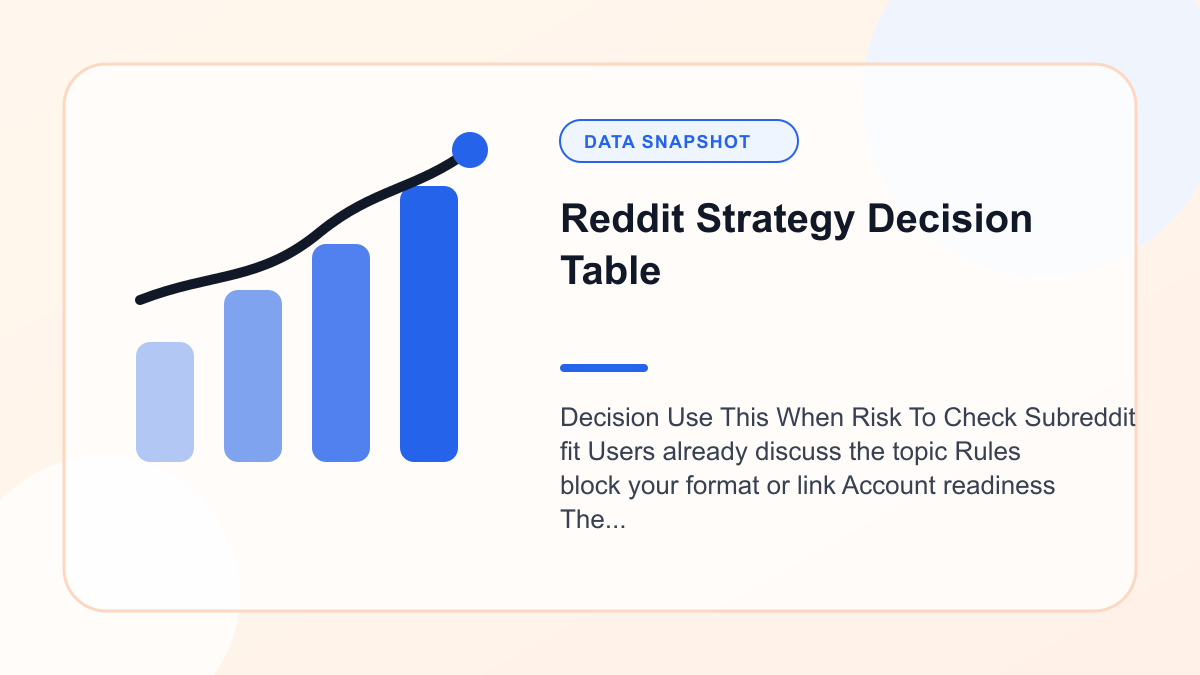
Decision | Use This When | Risk To Check |
|---|---|---|
Subreddit fit | Users already discuss the topic | Rules block your format or link |
Account readiness | The profile has normal history | A new account triggers filters |
Content angle | The post answers a specific question | The advice feels generic |
Next step | You can test with one low-risk post | You repeat a failed post unchanged |
Before You Post: Essential Preparation
The biggest mistake new Reddit users make is posting without preparation. They write a great post, submit it to the wrong subreddit or without the right flair, and watch it get removed within minutes.
Here is what to do before you ever hit that submit button.
Step 1: Make Sure Your Account Is Ready
Reddit has built-in restrictions for new accounts. If your account was created today, you will not be able to post in most subreddits.
Common requirements you will encounter:
- Account age: Many subreddits require your account to be 3-30 days old. Some require 90+ days.
- Karma thresholds: Most popular subreddits require between 10 and 500 combined karma. Some require specific comment karma or post karma amounts.
- Email verification: Some subreddits require a verified email address on your account.
If your post gets automatically removed with a message about account age or karma, you need to build up your account before posting there. The fastest way to do this is through commenting -- check our complete karma building guide for specific strategies.
Step 2: Find the Right Subreddit
Reddit has over 100,000 active communities. Posting great content in the wrong subreddit is like giving a presentation to the wrong audience -- it does not matter how good it is.
How to find the right subreddit:
- Use Reddit's search bar -- Search for your topic and look at which subreddits the results come from
- Check the subreddit directory -- r/findareddit is a community dedicated to helping people find the right subreddit
- Look at related subreddits -- Most subreddits list related communities in their sidebar
- Search Google with "site:reddit.com" -- This often surfaces relevant subreddits that Reddit's own search misses
Evaluate subreddit fit before posting:
- Browse the subreddit's front page. Does your content match what is already there?
- Check the subscriber count. Larger subreddits give more visibility but have more competition.
- Look at engagement levels. A 500,000-subscriber subreddit where top posts get 50 upvotes is less active than it appears.
- Read recent posts to understand the community's tone and expectations.
Step 3: Read the Subreddit Rules (Seriously)
This step is non-negotiable. Every subreddit has rules, and breaking them is the number one reason posts get removed.
Where to find the rules:
- Desktop: Look in the right sidebar under "Rules" or "Community Guidelines"
- Mobile app: Tap the "About" tab at the top of the subreddit
- Old Reddit: Check the sidebar and look for a wiki link
Common rules to watch for:
- Content type restrictions -- Some subreddits only allow text posts, others only images. Some ban certain topics entirely.
- Title formatting requirements -- Many subreddits have strict title rules. r/AskReddit requires questions. r/todayilearned requires posts starting with "TIL."
- Flair requirements -- Some subreddits require you to assign a category (flair) to your post before or immediately after submitting.
- Self-promotion limits -- Most subreddits restrict how often you can share your own content. The common guideline is that no more than 10% of your posts should be self-promotional.
- Minimum quality standards -- Some subreddits require minimum word counts, sources, or specific formatting.
- No reposts -- Many subreddits ban content that has been posted recently. Search the subreddit before posting to make sure your topic has not been covered.
Step 4: Understand the Culture
Beyond formal rules, every subreddit has an unwritten culture. Some are welcoming to newcomers.
Others expect you to lurk and learn before posting. Some value long, detailed posts.
Others prefer brevity.
The best way to understand culture is to lurk for a few days. Read posts. Read comments.
Notice what gets upvoted and what gets criticized. This investment of time will dramatically improve your first post's reception.
How to Create a Text Post
Text posts are the bread and butter of Reddit. They are used for questions, discussions, stories, reviews, guides, and virtually every type of written content.
Step-by-Step on Desktop (New Reddit)
- Navigate to the subreddit where you want to post
- Click the "Create Post" button at the top of the subreddit (or look for a pencil/plus icon)
- Select the "Text" tab if it is not already selected
- Write your title -- This is the most important element. Make it clear, specific, and engaging.
Your title determines whether people click on your post. 5.
Write your body text -- This is where your main content goes. Use the formatting toolbar or switch to Markdown mode for more control.
- Add flair (if required) -- Look for a "Flair" button near the title or below the text editor.
Select the appropriate category. 7.
Review everything -- Read your title and body one more time. Check for typos and formatting issues.
- Click "Post" -- Your post is now live.
Step-by-Step on Mobile (Reddit App)
- Open the subreddit you want to post in
- Tap the "+" button at the bottom of the screen
- Select "Text" from the post type options
- Enter your title in the title field
- Write your body text in the body field.
The mobile editor has basic formatting buttons. 6.
Add flair by tapping the flair option (usually below the title)
- Tap "Post" in the top right corner
Text Post Tips
Title best practices:
- Keep it under 300 characters (shorter is usually better)
- Be specific rather than vague. "How do I fix a leaking kitchen faucet?" beats "Plumbing help needed"
- For questions, phrase them clearly.
For discussions, make your position obvious from the title. - Avoid ALL CAPS unless the subreddit culture supports it
- Do not use clickbait titles.
Reddit users will downvote you for it.
Body text best practices:
- Start with context. Why are you posting?
What is the situation? - Break your text into short paragraphs (2-4 sentences each)
- Use headers (## Header) for posts longer than a few paragraphs
- Bold the most important points so scanners can quickly grasp your message
- End with a clear question or call to discussion if you want engagement
For a complete formatting reference, see our Reddit formatting guide.
When to Use Text Posts
- Asking questions
- Sharing stories or experiences
- Starting discussions
- Writing reviews
- Creating guides or tutorials
- Posting in subreddits that only allow text
How to Create an Image Post
Image posts are the most popular content type on Reddit by engagement. Memes, photographs, infographics, screenshots, and visual content of all types fall into this category.
Step-by-Step on Desktop
- Navigate to the subreddit
- Click "Create Post"
- Select the "Image" or "Images & Video" tab
- Upload your image by dragging and dropping or clicking to browse your files
- Add multiple images if you want to create a gallery post (supported in most subreddits)
- Write your title -- For image posts, the title provides all the context since there is no body text
- Add flair if required
- Click "Post"
Step-by-Step on Mobile
- Open the subreddit
- Tap "+"
- Select "Image" or tap the gallery icon
- Choose images from your camera roll or take a new photo
- Add a title and flair
- Tap "Post"
Image Post Tips
Image quality matters:
- Use high-resolution images. Blurry or compressed images get downvoted.
- Crop unnecessary elements. Focus on the relevant content.
- For screenshots, make sure text is readable. - For infographics, ensure they are legible on mobile screens.
Title carries extra weight:
Since image posts do not have body text, your title does all the heavy lifting for context. Make it descriptive and, if appropriate, engaging.
File requirements:
- Reddit accepts PNG, JPG, GIF, and WebP formats
- Maximum file size is typically 20MB
- Animated GIFs are supported but may be converted to video format
Gallery posts:
Gallery posts let you upload multiple images in a swipeable format. They are great for:
- Before/after comparisons
- Step-by-step visual guides
- Collections of related images
- Product showcases
When to Use Image Posts
- Sharing photographs or artwork
- Posting memes or visual humor
- Showing before/after transformations
- Sharing infographics or visual data
- Screenshots that need discussion
- Any content that is primarily visual
How to Create a Video Post
Video content on Reddit has exploded in recent years. Reddit supports both uploaded videos and embedded content from external platforms.
Uploading a Video Directly
On Desktop:
- Navigate to the subreddit
- Click "Create Post"
- Select the "Video" tab (or "Images & Video")
- Upload your video file -- Reddit accepts MP4 and MOV formats
- Add a thumbnail if prompted (or let Reddit auto-generate one)
- Write your title
- Add flair if required
- Click "Post"
On Mobile:
- Open the subreddit
- Tap "+"
- Select "Video"
- Choose a video from your camera roll or record a new one
- Trim the video if needed using the built-in editor
- Add a title and flair
- Tap "Post"
Video Post Requirements
- Maximum length: 15 minutes for most users (may vary)
- Maximum file size: Up to 1 GB
- Supported formats: MP4, MOV
- Audio: Supported (plays muted by default -- users tap to unmute)
- Subtitles: Not natively supported but highly recommended as burned-in captions
Video Post Tips
- Hook viewers in the first 3 seconds. Reddit users scroll fast. If the beginning is boring, they will scroll past.
- Add captions. Most Reddit users browse with sound off. Videos without captions lose a huge portion of potential viewers.
- Keep it concise. Shorter videos (30 seconds to 3 minutes) generally perform better than long ones.
- Optimize the title. Since people cannot skim a video like they can text, the title needs to convince them the video is worth their time.
When to Use Video Posts
- Tutorials and how-to demonstrations
- Funny or interesting clips
- Time-lapse content
- Product demonstrations
- Gameplay footage
- Vlogs or personal stories (in appropriate subreddits)
How to Create a Link Post
Link posts share a URL with the community. They are commonly used for sharing articles, tools, websites, and external content.
Step-by-Step on Desktop
- Navigate to the subreddit
- Click "Create Post"
- Select the "Link" tab
- Paste your URL in the URL field
- Write your title -- This is especially important for link posts because it determines whether people click through
- Add flair if required
- Click "Post"
Step-by-Step on Mobile
- Open the subreddit
- Tap "+"
- Select "Link"
- Paste your URL
- Add a title and flair
- Tap "Post"
Link Post Tips
Title is everything for link posts:
Your title is the only thing standing between your link and a click. Make it descriptive, accurate, and compelling.
- Good: "Study: Remote workers are 13% more productive than office workers (Stanford, 2026)"
- Bad: "Interesting article about remote work"
Avoid self-promotion traps:
If you are sharing your own content (blog post, YouTube video, product), be especially careful:
- Follow the subreddit's self-promotion rules
- Add a comment explaining why the link is relevant to the community
- Make sure you are not exclusively posting links to your own site
- Be transparent about your connection to the content
Check if the link has been posted before:
Reddit will sometimes warn you if the URL has already been submitted to the subreddit. Search first to avoid duplicate posts.
Some subreddits automatically remove duplicate URLs.
When to Use Link Posts
- Sharing news articles
- Linking to useful tools or resources
- Sharing research papers or studies
- Pointing to relevant external content
- Sharing your own content (within self-promotion guidelines)
How to Create a Poll Post
Poll posts let you create a simple multiple-choice question that other users can vote on.
Step-by-Step
- Navigate to the subreddit (not all subreddits enable polls)
- Click "Create Post"
- Select the "Poll" tab
- Write your question as the post title
- Add poll options (minimum 2, maximum 6)
- Set the poll duration (1-7 days)
- Add optional body text for context
- Click "Post"
Poll Post Tips
- Keep questions simple and clear
- Make options mutually exclusive when possible
- Include an "Other/Results" option for people who just want to see the results without voting
- Add context in the body text explaining why you are asking
When to Use Poll Posts
- Gauging community opinion on a topic
- Making group decisions
- Fun "which do you prefer" questions
- Research and data collection
- Settling debates
Understanding and Using Post Flair
Post flair is a category tag that you attach to your post. It helps organize content within a subreddit and makes it easier for users to find specific types of posts.
Why Flair Matters
- Some subreddits require flair. Your post will be automatically removed if you do not add it.
- Flair helps discoverability. Users can filter posts by flair to find specific content types.
- Flair sets expectations. A post flaired "Question" tells readers you are looking for help. A post flaired "Discussion" tells them you want conversation.
How to Add Flair
Before posting (recommended):
Look for a "Flair" dropdown or button near the title field. Select the most appropriate option.
After posting:
- Find your post
- Click the three dots (...) menu
- Select "Edit Flair" or "Change Flair"
- Choose the correct flair
Common Flair Categories
- Question / Help -- You are asking for assistance
- Discussion -- You want conversation
- News / Article -- Sharing news content
- OC (Original Content) -- You created this content
- Humor / Meme -- Fun or comedic content
- Advice -- Requesting or offering advice
- Meta -- About the subreddit itself
- Spoiler -- Contains plot-revealing content
What Happens If You Forget Flair
In subreddits that require flair, one of several things happens:
- Your post is automatically removed with a message telling you to add flair
- A bot comments on your post asking you to add flair within a time limit
- A moderator manually removes the post and asks you to repost with flair
Always check if flair is required before posting to avoid having to resubmit.
Reddit Post Formatting Deep Dive
Formatting can make or break a post. A wall of unbroken text will be scrolled past.
A well-formatted post with clear sections, bold key points, and proper spacing will be read and engaged with.
Essential Formatting for Every Post
Paragraphs: Always leave a blank line between paragraphs. On Reddit, a single line break does not create a visible paragraph break.
You need a full blank line.
```
This is paragraph one.
This is paragraph two.
```
Bold text: Use double asterisks for emphasis on key points.
```
This is bold text
```
Headers: For longer posts, use headers to create sections. This dramatically improves readability.
```
Main Section
Subsection
```
Bullet lists: Perfect for listing multiple items, steps, or points.
```
- First point
- Second point
- Third point
```
Numbered lists: For sequential steps or ranked items.
```
- First step
- Second step
- Third step
```
Formatting for Different Post Types
Questions: Keep formatting minimal. State your question clearly, provide necessary context, and make it easy for people to understand what you need.
Stories/Experiences: Use paragraphs generously. Break dialogue into separate lines.
Add a TL;DR (too long; didn't read) summary at the end for long posts.
Guides/Tutorials: Use headers for each major section. Number your steps.
Bold key terms. Use code blocks for technical content.
Reviews: Use headers to organize sections (Overview, Pros, Cons, Verdict). Bold the most important points.
Include relevant images if the subreddit allows them.
For the complete formatting reference with every markdown syntax, check our Reddit formatting guide.
Posting on Different Devices
Desktop Browser
The desktop experience offers the most formatting control:
- Full-featured text editor with formatting toolbar
- Easy switching between Rich Text and Markdown mode
- Image drag-and-drop
- Preview before posting
- Easier to manage long posts
Recommendation: Use desktop for long or complex posts. The larger screen and full editor make formatting much easier.
Reddit Mobile App
The mobile app is convenient for quick posts:
- Simplified text editor with basic formatting buttons
- Direct camera integration for photos and videos
- Quick posting from anywhere
- Limited formatting preview
Recommendation: Use mobile for quick questions, image posts, and short comments. Switch to desktop for anything longer than a few paragraphs.
Third-Party Reddit Apps
Apps like Apollo (iOS) offer different posting experiences:
- Often better Markdown support than the official app
- Different feature sets depending on the app
- Some offer drafting and scheduling features
Old Reddit (old.reddit.com)
The legacy Reddit interface:
- Markdown-only editor (no Rich Text mode)
- Simpler interface that some prefer
- All the same posting capabilities
- Some moderators prefer it
Common Reasons Posts Get Removed (and How to Avoid Them)
Nothing is more frustrating than spending time on a post only to have it removed. Here are the most common reasons and how to prevent them.
Reason 1: Insufficient Karma or Account Age
The problem: Your account does not meet the subreddit's minimum requirements.
The fix: Build karma through commenting before trying to post. Most karma thresholds are between 10-500, which you can reach in a few days to a couple of weeks of active commenting.
Reason 2: Missing or Wrong Flair
The problem: The subreddit requires flair and you did not add it, or you selected the wrong category.
The fix: Always check flair requirements in the subreddit rules before posting. If your post is removed for this reason, you can usually resubmit with the correct flair.
Reason 3: Rule Violation
The problem: Your post breaks one of the subreddit's specific rules.
The fix: Read ALL the rules before posting. Pay special attention to title formatting requirements, banned topics, and content type restrictions.
Reason 4: Spam or Self-Promotion
The problem: Your post looks promotional, whether or not you intended it that way.
The fix: Follow the 90/10 rule -- no more than 10% of your Reddit activity should be self-promotional. If you are sharing your own content, make sure you are also an active community member.
According to Reddit's content policy, pure self-promotion without community participation is considered spam.
Reason 5: Duplicate Content
The problem: Someone has already posted the same link, question, or topic recently.
The fix: Search the subreddit before posting. Use the search bar within the subreddit, not Reddit's global search.
Reason 6: Wrong Subreddit
The problem: Your content does not fit the subreddit's scope.
The fix: Look at the subreddit's description and existing posts. If your content does not clearly belong, find a better subreddit.
Reason 7: Banned Content Type
The problem: Some subreddits ban certain content types (no images on certain days, no memes, no videos, etc.).
The fix: Check the rules for content type restrictions. Some subreddits have different rules for different days of the week.
For a complete analysis of why posts get removed and how to prevent it, see our guide on why Reddit posts get removed.
How to Write Titles That Get Clicks and Upvotes
Your title is the single most important element of any Reddit post. It determines whether people see your post, click on it, and engage with it.
Title Principles That Work Across All Subreddits
Be specific:
- Weak: "Need advice"
- Strong: "Should I accept a 15% pay cut to switch from finance to tech at 32?"
Be honest:
- Reddit users are allergic to clickbait. If your title promises something your content does not deliver, expect downvotes.
Be clear:
- Your title should be understandable in a single read. If someone has to re-read it to understand what you mean, it is too complicated.
Match subreddit conventions:
- r/AskReddit: Questions only, no body text
- r/todayilearned: Must start with "TIL"
- r/explainlikeimfive: Must start with "ELI5"
- r/ChangeMyView: Must start with "CMV:"
Include key details:
- Numbers and specifics make titles more compelling and credible
- "I increased conversions by 47% with one landing page change" beats "I improved my landing page"
Title Length
On Reddit specifically, titles that are long enough to provide context but short enough to scan quickly do best.
Reddit's title character limit is 300 characters, but most successful posts use far less.
Timing Your Posts for Maximum Visibility
When you post matters almost as much as what you post. Reddit's algorithm heavily weights early engagement, so posting when your target audience is active gives your content the best chance of gaining momentum.
General Best Times to Post
- Best days: Monday through Thursday
- Best time: 6-9 AM Eastern Time (when American users are waking up and browsing)
- Decent times: 12-2 PM Eastern (lunch browsing) and 5-8 PM Eastern (evening browsing)
- Worst times: Late night Eastern Time (2-5 AM) and weekend mornings
Why Timing Matters So Much
Reddit's ranking algorithm gives enormous weight to early votes. A post that gets 20 upvotes in its first hour ranks much higher than a post that gets 20 upvotes over 24 hours.
Posting during peak hours means:
- More people see your post in "New" within the first minutes
- More early upvotes trigger algorithmic amplification
- Your post has a better chance of reaching "Rising" and then "Hot"
For subreddit-specific timing data, use our Best Time to Post tool which analyzes posting patterns for individual subreddits.
Time Zone Considerations
Reddit's audience is predominantly American, so Eastern Time is usually the reference. However, this varies by subreddit:
- r/unitedkingdom peaks during UK business hours
- r/australia peaks during Australian evenings
- International subreddits have more distributed activity patterns
What to Do After You Post
Posting is not a "set it and forget it" activity. What you do in the first hour after posting dramatically affects your post's success.
Respond to Comments Quickly
When someone comments on your post, reply promptly. This does two things:
- Encourages more comments -- People are more likely to comment when they see the OP (original poster) is actively engaged
- Boosts algorithmic ranking -- Comment activity signals to Reddit's algorithm that the post is generating discussion, which increases its visibility
Be Gracious With Criticism
Not every comment will be positive. Reddit users can be blunt.
The worst thing you can do is get defensive or argumentative.
- Thank people for helpful feedback, even if it is harsh
- Answer follow-up questions thoroughly
- Admit when you are wrong or do not know something
- Do not edit your post to argue with commenters
Add an Explanatory Comment
For image, video, or link posts, add a comment immediately after posting that provides context. Many subreddits expect or require this.
- For image posts: Explain the backstory or context
- For link posts: Summarize the key points and explain why it is relevant
- For video posts: Provide a text summary for people who cannot watch
Monitor for Removal
Check back 5-10 minutes after posting to make sure your post is still visible. Open an incognito window and browse the subreddit's "New" feed.
If you cannot find your post, it may have been removed.
If your post was removed:
- Check your inbox for a removal reason
- Read the subreddit rules again to identify what went wrong
- Fix the issue and resubmit if possible
- Contact the moderators politely if you believe the removal was a mistake
Cross-Posting: Sharing Across Multiple Subreddits
Reddit has a built-in cross-posting feature that lets you share your post in multiple relevant subreddits.
How to Cross-Post
- Find your original post
- Click "Share" then "Crosspost"
- Select the destination subreddit
- Modify the title if needed for the new community
- Submit
Cross-Posting Best Practices
- Limit to 2-3 subreddits -- Cross-posting to a dozen subreddits looks like spam
- Customize your title for each community
- Only cross-post to relevant subreddits where the content genuinely fits
- Space out your cross-posts -- Do not submit to all subreddits simultaneously
- Engage in all communities -- If people comment on your cross-post, respond there too
Posting Etiquette: The Unwritten Rules
Beyond formal rules, Reddit has cultural expectations that new users often miss.
The 90/10 Rule
No more than 10% of your Reddit activity should be self-promotional. If you only post your own content and never engage with others' posts, you will be labeled a spammer.
Edit Etiquette
If you need to edit your post after publishing:
- Minor edits (typos, formatting): Just fix them. No need to note it.
- Substantial edits (changing information, adding content): Add an "Edit:" note at the bottom explaining what changed and why.
- Never edit to change your position after being called out. It is dishonest and violates Reddit culture.
The TL;DR Convention
For long posts, add a TL;DR (Too Long; Didn't Read) summary. This is a short 1-3 sentence summary of your post.
Place it at the top or bottom. It respects readers' time and often increases engagement because people who read the summary become curious enough to read the full post.
Award Etiquette
If your post receives awards, a simple thank you in an edit is appreciated but not required. Do not make a big deal out of it.
"Edit: Thanks for the gold!" is fine. A paragraph-long speech is cringe-inducing.
Do Not Delete Posts That Are Not Doing Well
Unless your post contains personal information you need to remove, do not delete posts just because they did not get upvotes. Deleted posts look suspicious on your profile, and the communities you posted in lose the content.
Advanced Posting Strategies
Once you have the basics down, these strategies will help your posts perform better.
The Comment Seeding Strategy
Immediately after posting, add a detailed comment on your own post. This can be:
- Additional context that did not fit in the title
- A question to spark discussion
- Background information or sources
This comment gives people something to respond to and creates early engagement that boosts your post in the algorithm.
The AMA Format
AMA (Ask Me Anything) posts are among the most engaging formats on Reddit. If you have unique expertise or experience, an AMA can generate large engagement.
To create an AMA:
- Find a relevant subreddit (r/AMA, r/IAmA, or a niche community)
- Create a text post with "AMA" in the title
- Describe who you are and why people should ask you questions
- Provide proof of your identity/expertise if relevant
- Respond to questions promptly and thoroughly
The Series Strategy
Creating a series of related posts builds an audience that looks forward to your content:
- "Week 1 of my 90-day fitness journey"
- "Part 3 of my guide to personal finance"
- "Monthly update: Building my SaaS startup"
Series posts build a following, increase engagement over time, and establish you as a consistent contributor.
Using Reddit's Scheduled Posts Feature
Some subreddits allow scheduled posting through moderator tools, and Reddit has been rolling out scheduling features for regular users. If available:
- Schedule posts for peak activity hours
- Prepare posts in advance and queue them
- Maintain consistent posting without being tied to specific times
Troubleshooting Common Posting Problems
"You are doing that too much. Try again in X minutes."
This is Reddit's rate limiting. It happens when:
- Your account is new
- Your karma in the subreddit is low
- You have been posting or commenting too frequently
Fix: Build karma by engaging more in the subreddit. The rate limit decreases as your karma increases.
"Your post has been removed by the moderators."
Check your inbox for a specific reason. If no reason was given:
- Review the subreddit's rules
- Check if you missed a flair requirement
- Consider whether your content might have triggered an automated filter
- Message the moderators politely to ask why
"This community only allows trusted members to post."
Some subreddits have strict approval requirements. You may need to:
- Build karma in related subreddits first
- Request posting access from the moderators
- Wait for your account to meet age requirements
Your Post Is Not Showing Up in "New"
If your post does not appear in the subreddit's "New" feed:
- It may have been caught by a spam filter
- Check your inbox for removal messages
- Open an incognito window to see the subreddit without your login
- Message the moderators and ask them to approve it
Images or Videos Will Not Upload
Common causes:
- File is too large (try compressing it)
- Unsupported format (convert to JPG, PNG, or MP4)
- The subreddit does not allow image/video posts
- Reddit's servers are experiencing issues (try again later)
Your First Post Checklist
Before you hit that submit button on your first Reddit post, run through this checklist:
- Is my account old enough to post in this subreddit?
- Do I have enough karma?
- Have I read all the subreddit rules?
- Does my content fit this subreddit?
- Is my title clear, specific, and properly formatted?
- Have I added the correct flair?
- Is my post properly formatted with paragraphs, headers, and bold text where needed?
- Have I searched the subreddit to make sure this has not been posted recently?
- Am I posting at a reasonable time for this subreddit's audience?
- Am I ready to engage with comments for the next hour?
If you can check every box, hit post. Your content is ready.
Conclusion: Just Start Posting
Posting on Reddit can feel intimidating when you are new. There are a lot of rules, conventions, and unwritten expectations.
But here is the good news: everyone was a beginner once.
The Reddit users who seem to effortlessly get thousands of upvotes started with awkward first posts, removed content, and formatting mistakes. They learned by doing.
Here is your action plan:
- Pick one subreddit that matches your interests
- Lurk for a few days to understand the culture
- Read the rules thoroughly
- Start with comments to build karma and confidence
- Make your first post when you feel ready
- Learn from the response and improve
The perfect post does not exist. But a good post that actually gets published is infinitely better than a perfect post that stays in your head.
For more help getting started, check out our guide on making your first Reddit post and our complete Reddit formatting reference. And if you need to build karma before you can post, our karma building guide will get you there fast.
Now go post something.
Frequently Asked Questions
How do I create a post on Reddit?▼
Navigate to the subreddit where you want to post, click the Create Post button, select your post type (text, image, video, link, or poll), write your title and content, add the required flair, and click Post. On mobile, tap the plus button at the bottom of the screen. Make sure you have enough karma and account age to post in that subreddit, and always read the subreddit rules before submitting.
Why does my Reddit post keep getting removed?▼
Posts are most commonly removed because of insufficient karma or account age, missing flair, rule violations, duplicate content, or being flagged as self-promotion. Check your inbox for the specific removal reason, read the subreddit rules carefully, and try again after fixing the issue. If you believe the removal was a mistake, message the subreddit moderators politely.
How much karma do I need to post on Reddit?▼
Karma requirements vary by subreddit. Many smaller communities have no requirements at all. Most popular subreddits require between 10 and 500 combined karma, while some high-traffic communities require 500 to 1,000 or more. The easiest way to check is to try posting -- if your post is removed with a karma-related message, you will know the threshold. Build karma through commenting in the meantime.
What is the best time to post on Reddit?▼
The generally best times to post on Reddit are between 6 and 9 AM Eastern Time on weekdays, particularly Monday through Thursday. This is when American users are waking up and browsing, giving your post the best chance of gaining early momentum. However, optimal timing varies by subreddit and audience location. Use subreddit-specific analytics tools for the most accurate timing data.
Can I post the same thing in multiple subreddits?▼
Yes, Reddit has a built-in cross-posting feature that lets you share your post across multiple communities. However, limit cross-posts to 2 or 3 relevant subreddits, customize your title for each community, and space them out rather than submitting to all at once. Cross-posting to too many subreddits looks like spam and can result in removal or account restrictions.
What types of posts can I make on Reddit?▼
Reddit supports four main post types: text posts for written content like questions, stories, and guides; image posts for photos, memes, infographics, and gallery collections; video posts for uploaded video content; and link posts for sharing external URLs. Some subreddits also support poll posts. Not every subreddit allows all post types, so check the rules before choosing your format.

Neo Anderson
Author
Reddit strategist and founder of Upvote.sh. I help brands cut through the noise on Reddit with data-driven upvote strategies that actually move the needle. When I'm not reverse-engineering the front page algorithm, I'm probably lurking in niche subreddits looking for the next big opportunity.